Universal Showdown Unlock Checklist
Like the secret, try equal-chance spins, then keep gamepasses optional.
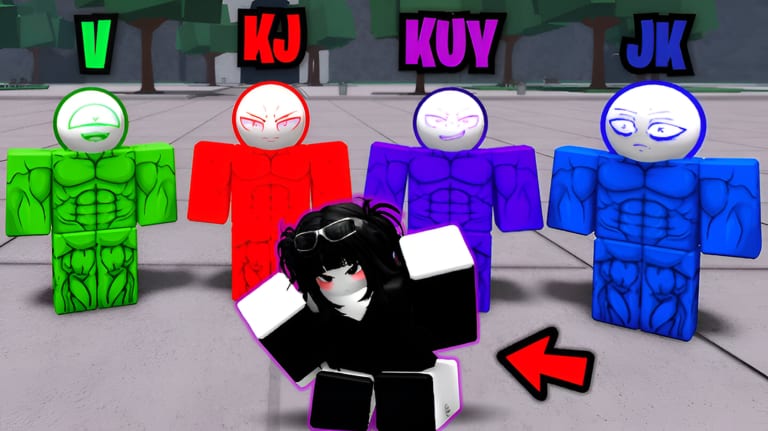
Use this checklist on your first night in Universal Showdown and again after a patch. The experience is online PvP on Roblox, released on 26 January 2026. The official description already tells you the highest-value free unlock: like the game for a secret character. Everything else on this page is a clean order of operations so you do not mix this title with another battlegrounds Discord, a fake Trello, or a code list copied from a different place ID.
Open the official Roblox play page first. Confirm the URL still uses place 127377897541228. Favorite that listing, then work the boxes below. For how favorite and like actually work on Roblox, keep official links in a second tab. For the secret itself, the long guide is Secret character. This page is the short list you can tick.
First-hour checklist
- Open the official experience from official links, not from a random chat invite.
- Favorite the listing so it stays on your Roblox continue list.
- Like the experience. The official description says this is how you get the secret character.
- Join once and confirm the six official actions from the keybinds cheatsheet.
- Try a spin. Official text says spins and emotes are random, equal chance, and cannot duplicate.
- Open the emote wheel with B after a round so you know where cosmetics live.
- Check the official page Badges tab. This wiki does not invent badge names; tick this box after you have looked.
- Ignore Store purchases until you have played a real session. Gamepasses are optional.
- Refuse Trello links, Studio Nerds Discord, and A Universal Showdown Discord. Those are other projects or unconfirmed boards. Read Trello status.
- Bookmark Next Update and the Next Update event instead of waiting for a leaked roadmap.
If a box is about a rumor kit, a hidden key, or a code that is not on Codes Hub, leave it off this list. A checklist that grows from chat messages stops being a tool.
Like the game for the secret
The official description leads with the secret instruction. Liking is a Roblox page action, not an in-match key. You do it on the experience page, then return to a server and look for whatever the build grants after that like is registered. This wiki will not invent a second secret, a time-gated like, or a like-plus-favorite combo that the page does not state. If the secret does not appear immediately, rejoin after the like, then check Secret character for the written version of the same fact.
Do not like a copycat listing. Place ID 127377897541228 is the check. If the thumb art looks similar but the numbers differ, you are not on the official page and the secret instruction does not apply.
Spins, emotes, and badges
Spins and emotes are randomized rewards. Every item has an equal chance. Duplicates are not possible, so a repeat roll is not a hidden pity system this wiki can document. Use spins to see the pool, not to chase a fake rate table. Extra Emote Slots and Emote Second Page are optional Store names if you want more wheel space. They are not required to finish this checklist.
Badges, if the experience publishes any, live on the official Roblox page. Open that tab, read the real titles, and tick the badge box. Do not copy badge names from another showdown title. If the tab is empty after a patch, the honest tick is still “I looked,” not “I invented three badge names so this list looks full.”
Optional gamepasses, last
The Store tab on the official page is where named passes live. This wiki treats these names as confirmed for Universal Showdown: Kill Sounds, Extra Emote Slots, Emote Second Page, Awakening Outfit, Early Access, and Private Servers+. Extra Emote Slots is described as eight slots instead of four. Emote Second Page adds another page for emotes. Early Access is described as current and future work-in-progress character skill sets, which may be incomplete. This checklist will not invent exact audio menus, outfit editors, or private-server commands for the remaining names.
None of those passes replace the like-for-secret step. None of them are required to learn punch, block, dash, and run. Buy after you have a reason, not because a stranger said the roster is paywalled. Early Access in particular is a WIP window, not a finished balance bible. Compare confirmed names on the character compare and Players Hub without treating a paid preview as a ranked law.
Do not mix games
Universal Showdown is this place ID, this event, and this description. Studio Nerds Discord is another project. A Universal Showdown Discord is another project. A Trello that helped you in a different battlegrounds title is not an official board for this one. Codes from another experience will not redeem here. If you need a link, start at Links Hub. If you need binds, stay on Tools Hub. If you need patch timing, use Next Update.
Tonight’s five-minute pass
Tonight, do only the free row: official URL, favorite, like, one join, one spin, one look at badges. Write nothing else on the list. Tomorrow, if you still want cosmetics or a WIP skill-set window, open the Store tab yourself. That five-minute pass is the whole reason this page exists. It keeps the secret on the official like button and keeps other people’s Discords off your first night.
Frequently Asked Questions
Quick answers to the most common questions.
What is the confirmed secret unlock?
Like the official Universal Showdown experience. The Roblox description states that like is how you get the secret character.
Are spins and emotes weighted?
Official text says randomized rewards have an equal chance and that duplicates are not possible. This checklist does not invent pity rates.
Do I need a gamepass to finish the checklist?
No. Kill Sounds, Extra Emote Slots, Emote Second Page, Awakening Outfit, Early Access, and Private Servers+ are optional Store names. Like, favorite, and a first session come first.
Which Discord should I join for unlock help?
This wiki does not recommend a Discord. Studio Nerds Discord and A Universal Showdown Discord are other projects. Use the official Roblox page and the Next Update event.
Where do I check badges?
On the official Roblox experience page. This wiki does not invent badge titles. Tick the box after you have opened the real tab.
What if a Trello lists extra unlocks?
No official Trello is confirmed for this title. Use the Roblox description, this checklist, and Next Update instead of an unattributed board.